
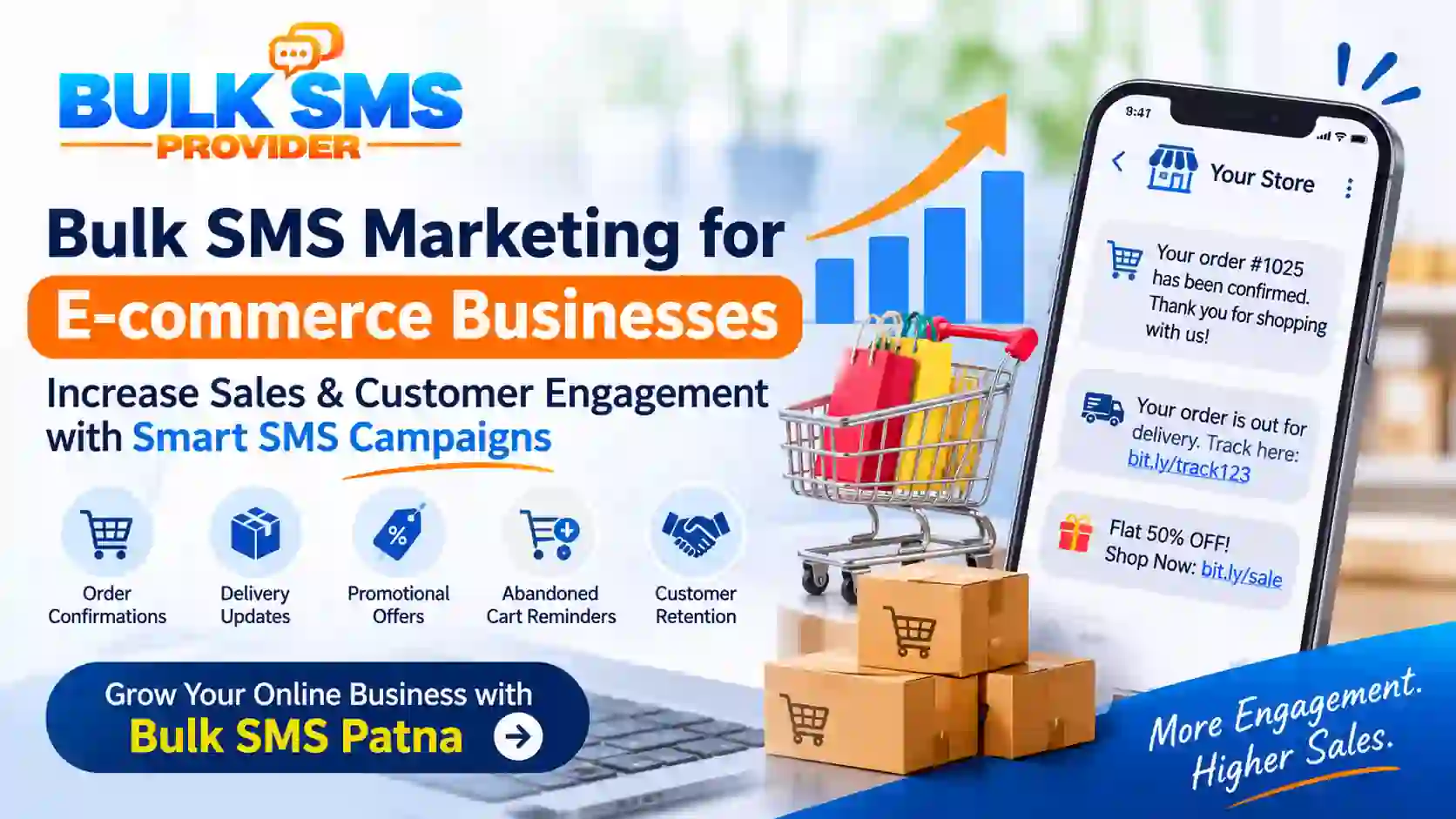
How Bulk SMS Marketing Helps E-commerce Businesses Increase Sales and Customer Engagement
Running an e-commerce business involves more than attracting visitors and generating orders. Online retailers also need to keep customers informed, encourage completed purchases, provide timely delivery updates, and build long-term relationships. With customers receiving numerous emails and notifications every day, businesses need direct and convenient communication channels.
Bulk SMS marketing for e-commerce provides an effective way to communicate important updates, share promotional offers, recover abandoned shopping carts, and encourage repeat purchases. From order confirmation messages to delivery notifications, SMS helps online stores stay connected with customers throughout their shopping journey.
- In this guide, we explain how e-commerce businesses can use SMS campaigns, automate customer notifications, and develop a practical messaging strategy with Bulk SMS Patna.
What Is Bulk SMS Marketing for E-commerce?
Bulk SMS marketing for e-commerce is the process of sending business-related text messages to customers at scale. Online stores can use SMS to share promotional campaigns, communicate order updates, notify customers about deliveries, and send relevant shopping reminders.
Unlike communication methods that require customers to open an application or check an inbox, SMS delivers messages directly to mobile phones. This makes it a useful channel for time-sensitive notifications and customer communication.
For example, an online clothing store can send a message when an order is confirmed, a shipment is dispatched, or a seasonal sale begins. An electronics retailer can notify customers about product availability or an eligible promotional offer.
Businesses can use a bulk SMS service for customer campaigns and explore SMS API integration to connect messaging with their e-commerce website or application.
Why Is SMS Marketing Important for E-commerce Businesses?
Online shopping involves several stages, from product discovery and checkout to payment, shipping, and post-purchase support. SMS can help businesses communicate with customers at important stages of this process.
1. Direct Customer Communication
SMS provides a direct communication channel for sharing relevant updates. Businesses can send order confirmations, delivery notifications, and important service information without requiring customers to log in to their accounts.
2. Better Order Communication
Customers often want to know whether their payment was successful, whether an order has been processed, and when their package will arrive. Timely SMS notifications can keep customers informed and reduce uncertainty during the purchasing process.
3. Support for Abandoned Cart Recovery
Some shoppers add products to their carts but leave the website before completing checkout. Where appropriate customer consent and applicable messaging requirements are satisfied, businesses can send a reminder about the unfinished purchase and provide a convenient link to continue shopping.
4. Promote Offers and New Products
Online retailers can use promotional SMS campaigns to announce seasonal sales, product launches, limited-time offers, and special discounts to customers who have agreed to receive marketing messages.
5. Encourage Repeat Purchases
Customer retention is important for sustainable e-commerce growth. Businesses can use relevant messages to inform previous customers about new collections, replenishment opportunities, loyalty benefits, and suitable offers.
6. Improve the Shopping Experience
Customers appreciate clear communication after placing an order. Notifications about order processing, shipment status, delivery attempts, and support options can make the overall shopping experience more convenient.
7 Effective Ways to Use Bulk SMS for E-commerce Businesses
1. Send Order Confirmation SMS
Order confirmation is one of the most useful applications of SMS in online retail. After a customer completes a purchase, the business can send a confirmation containing the order reference and essential information.
This reassures customers that their order has been received and gives them a reference for future communication.
Thank you for shopping with [Store Name], [Customer Name]! Your order #[Order ID] has been confirmed. You can check your order details at [Link].
2. Share Order and Delivery Updates
Customers want visibility into the status of their purchases. E-commerce businesses can send notifications when orders are packed, dispatched, out for delivery, or successfully delivered.
Good news! Your order #[Order ID] from [Store Name] has been shipped. Track your package here: [Tracking Link].
These updates help customers follow their purchases and reduce the need to contact support for routine information.
3. Send Abandoned Cart Reminders
Shopping cart abandonment occurs when a customer adds products to a cart but does not complete the purchase. An appropriate reminder can bring the unfinished shopping experience back to the customer's attention.
Before sending cart reminders, ensure that the customer has provided the required consent and that the message follows applicable promotional communication rules.
Hello [Customer Name], you still have items waiting in your cart at [Store Name]. Continue shopping here: [Cart Link]. We hope to see you again!
Businesses should avoid excessive reminders and measure whether these messages generate completed purchases.
4. Promote Seasonal Sales and Special Offers
Festivals, holidays, clearance events, and seasonal shopping periods provide opportunities to connect with interested customers. Promotional SMS can highlight relevant discounts and direct recipients to the appropriate product or sale page.
Big Sale at [Store Name]! Enjoy up to [Discount]% off selected products. Shop the collection today: [Website Link]. Terms apply.
Segment promotional campaigns by customer interests and purchase history where permitted, rather than sending every offer to every contact.
5. Announce New Product Launches
When an online store introduces a new collection or product range, SMS can help notify customers who are interested in those categories. Product announcements are especially useful when the launch is relevant to previous purchases or stated preferences.
New arrivals are here at [Store Name]! Explore our latest collection and discover new products: [Product Link].
6. Request Customer Feedback After Delivery
Customer feedback helps online retailers understand product quality, packaging, delivery experience, and service performance. After an order is delivered, businesses can send a short feedback request.
Thank you for shopping with [Store Name]. We would love to hear about your experience. Share your feedback here: [Review Link].
Feedback requests should be genuine and should not pressure customers to provide positive reviews.
7. Encourage Repeat Purchases and Customer Retention
Existing customers can be valuable to an e-commerce business. Depending on the product category and customer preferences, retailers can send relevant messages about replenishment, complementary products, new collections, and loyalty benefits.
Hello [Customer Name], discover more products from [Store Name]. Explore our latest collection and find something you love: [Website Link].
How to Create an Effective E-commerce SMS Marketing Strategy
A successful SMS campaign requires more than sending messages to a large contact list. Businesses should plan their audience, message purpose, timing, and performance measurement.
Step 1: Define Your Campaign Objective
Decide what you want to achieve before launching a campaign. Common objectives include:
- Informing customers about order status.
- Encouraging shoppers to complete abandoned carts.
- Promoting new products and seasonal offers.
- Increasing repeat purchases.
- Collecting genuine customer feedback.
Step 2: Build a Permission-Based Customer List
Maintain accurate customer contact information and record the relevant consent and communication preferences. Do not purchase random phone number lists or send unsolicited promotional messages.
Step 3: Segment Your Customers
Divide your audience into relevant groups based on permitted business data. Useful segments may include:
- First-time customers.
- Repeat purchasers.
- Customers interested in specific product categories.
- Customers who have opted in to promotional communication.
- Customers with recently completed orders.
Segmentation helps businesses send more relevant messages and avoid unnecessary communication.
Step 4: Write Clear and Relevant SMS Content
Keep messages concise and make the purpose immediately clear. Include your store name, relevant order information, a useful link, or a clear next step. Avoid misleading discounts and unsupported claims.
Step 5: Choose the Right Messaging Service
Select an SMS solution based on your campaign requirements, expected message volume, integration needs, delivery reporting, and support. Explore the Bulk SMS service for business messaging requirements.
Step 6: Automate Messages Using an SMS API
For growing online stores, manual messaging may become difficult to manage. An SMS API can connect the e-commerce platform with a messaging service and trigger notifications based on order events.
For example, a website can trigger a confirmation after successful order placement or a shipping notification when the order status changes. Learn more about SMS API services for website and application integration.
Step 7: Monitor Campaign Performance
Review delivery reports, clicks, completed purchases, opt-out requests, and campaign costs. Compare results across similar campaigns to identify which messages and audience segments perform better.
Bulk SMS Marketing vs Email Marketing for E-commerce
SMS and email serve different communication purposes. Rather than treating them as competing channels, online retailers can use both as part of a coordinated customer communication strategy.
| Comparison Factor | Bulk SMS Marketing | Email Marketing |
|---|---|---|
| Communication format | Short text messages | Detailed messages with text and rich media |
| Common use cases | Order alerts, delivery updates, reminders and offers | Newsletters, product information, detailed promotions and receipts |
| Customer experience | Direct notification on a mobile phone | Viewed through an email application or inbox |
| Message length | Best suited to concise communication | Suitable for longer content and product details |
| Automation | Can be triggered through an SMS API | Can be automated through email marketing platforms |
The right channel depends on the message purpose, customer preferences, urgency, and applicable consent requirements.
How SMS API Integration Helps E-commerce Stores
An SMS API allows an e-commerce website or mobile application to communicate with an SMS gateway programmatically. This makes it possible to send messages automatically when specific events occur within the store.
Common SMS API automation examples include:
- Sending order confirmations after successful purchases.
- Notifying customers when payment status changes.
- Sending shipping and delivery updates.
- Triggering eligible abandoned cart reminders.
- Sending account verification OTP messages.
- Sharing important customer service notifications.
Developers can connect the SMS gateway with compatible e-commerce platforms, custom websites, or mobile applications. Explore the SMS API integration solution to understand how automated messaging can fit into your existing business workflow.
Important Compliance Considerations for Bulk SMS in India
Businesses sending commercial messages in India must follow the applicable telecom commercial communication regulations. Requirements may include sender registration, approved headers, registered message templates, consent records, customer preference management, and applicable messaging categories.
- Use the appropriate message category and route for the actual purpose of each message.
- Maintain required consent records for promotional communication.
- Do not disguise marketing offers as transactional notifications.
- Respect customer opt-out requests and applicable preference restrictions.
- Use approved sender details and message templates where required.
- Review current DLT and telecom compliance requirements before launching campaigns.
For official guidance, refer to the Telecom Regulatory Authority of India (TRAI). Requirements may vary according to the message purpose and applicable regulations.
How to Measure E-commerce SMS Marketing Performance
Tracking campaign results helps businesses understand whether their messaging strategy is supporting sales and customer engagement. Consider monitoring these key performance indicators:
- SMS delivery rate: The proportion of submitted messages reported as successfully delivered.
- Click-through rate: The percentage of recipients who click a trackable link in the message.
- Conversion rate: The percentage of recipients who complete the intended action, such as placing an order.
- Cart recovery rate: The proportion of eligible abandoned carts that result in completed purchases after a reminder campaign.
- Repeat purchase rate: The percentage of customers who make additional purchases over a defined period.
- Campaign cost: The total messaging expenditure associated with a campaign.
- Opt-out rate: The proportion of recipients who choose to stop receiving promotional communication.
Use trackable campaign links and compare results against a defined baseline. Delivery alone does not prove that a message generated a sale. Consider other factors such as discounts, product availability, website experience, and seasonality when evaluating results.
Common Mistakes to Avoid in E-commerce SMS Marketing
- Sending too many messages: Excessive communication can frustrate customers and increase opt-outs.
- Ignoring customer consent: Promotional messages should only be sent in accordance with applicable consent and preference requirements.
- Using unclear sender information: Customers should be able to identify the business sending the message.
- Sending irrelevant offers: Use appropriate audience segmentation to improve message relevance.
- Ignoring mobile landing pages: Ensure links open relevant pages that work properly on mobile devices.
- Not checking message accuracy: Incorrect order IDs, prices, dates, and links can damage customer trust.
- Failing to measure conversions: Track meaningful outcomes rather than relying only on the number of messages sent.
Why Choose Bulk SMS Patna for E-commerce Messaging?
Choosing an appropriate messaging provider is important for businesses that want to manage customer notifications and promotional communication efficiently. Bulk SMS Patna offers SMS solutions for businesses looking to communicate with customers through bulk messaging and API-based integration.
Depending on your requirements, explore these services:
- Bulk SMS Service: For business messaging and customer communication campaigns.
- Transactional SMS: For suitable order confirmations and service-related notifications.
- Promotional SMS: For eligible marketing campaigns, offers, and product announcements.
- OTP SMS Service: For account verification and authentication workflows.
- SMS API: For connecting messaging with e-commerce websites and applications.
Before selecting a solution, consider your monthly message volume, technical requirements, delivery reporting needs, budget, and applicable compliance obligations.
To discuss your business requirements, visit the Bulk SMS Patna contact page.
Frequently Asked Questions About Bulk SMS Marketing for E-commerce
1. How can e-commerce businesses use bulk SMS marketing?
E-commerce businesses can use bulk SMS for order confirmations, shipment updates, delivery notifications, abandoned cart reminders, promotional offers, product announcements, feedback requests, and customer retention campaigns.
2. Can bulk SMS help increase online sales?
SMS campaigns can support sales by informing interested customers about relevant offers, reminding eligible shoppers about unfinished carts, and encouraging repeat purchases. Actual results depend on campaign quality, customer consent, product relevance, pricing, and the shopping experience.
3. What is an abandoned cart SMS?
An abandoned cart SMS is a reminder sent to an eligible shopper who added products to an online cart but did not complete checkout. It can include a link that allows the customer to return to the cart.
4. Can order confirmation SMS be automated?
Yes. An SMS API can connect an e-commerce platform with a messaging service and trigger a confirmation after a successful order event, subject to the appropriate message classification and technical setup.
5. What is the difference between promotional SMS and transactional SMS?
Promotional SMS communicates marketing offers and sales messages. Transactional or other service-related messages communicate eligible information associated with a customer's interaction or service. Businesses must use the correct category and comply with applicable telecom requirements.
6. Is bulk SMS suitable for small online stores?
Yes. Small online stores can use SMS to send order updates, communicate with opted-in customers, share relevant offers, and manage customer notifications. The service should be selected according to actual business volume and requirements.
7. How can I integrate bulk SMS with my e-commerce website?
You can integrate an SMS gateway using an API. A developer can connect your website or application to the messaging platform and configure automated triggers for orders, payments, shipping, and other supported events.
8. How do I choose the right bulk SMS provider?
Evaluate pricing, message routes, delivery reports, API documentation, integration support, customer service, and assistance with applicable registration and compliance requirements. Compare providers based on your business needs rather than price alone.
Conclusion
Bulk SMS marketing for e-commerce businesses offers a practical way to improve customer communication throughout the online shopping journey. From order confirmations and delivery notifications to abandoned cart reminders and promotional campaigns, SMS can support customer engagement, service updates, and repeat purchases.
To build an effective strategy, focus on relevant messages, customer consent, audience segmentation, suitable automation, and consistent performance tracking. As your online store grows, SMS API integration can help connect your website or application with automated messaging workflows.
Explore the messaging solutions offered by Bulk SMS Patna and choose an approach that supports your e-commerce communication requirements.
```